

The map landing page
Every map has a landing page: the page a traveler sees before opening it. For paid maps it is the sales page. It is edited separately from the place editor.
On the web, open a map in the Creator Portal and choose the landing-page action, or go to Map preview.
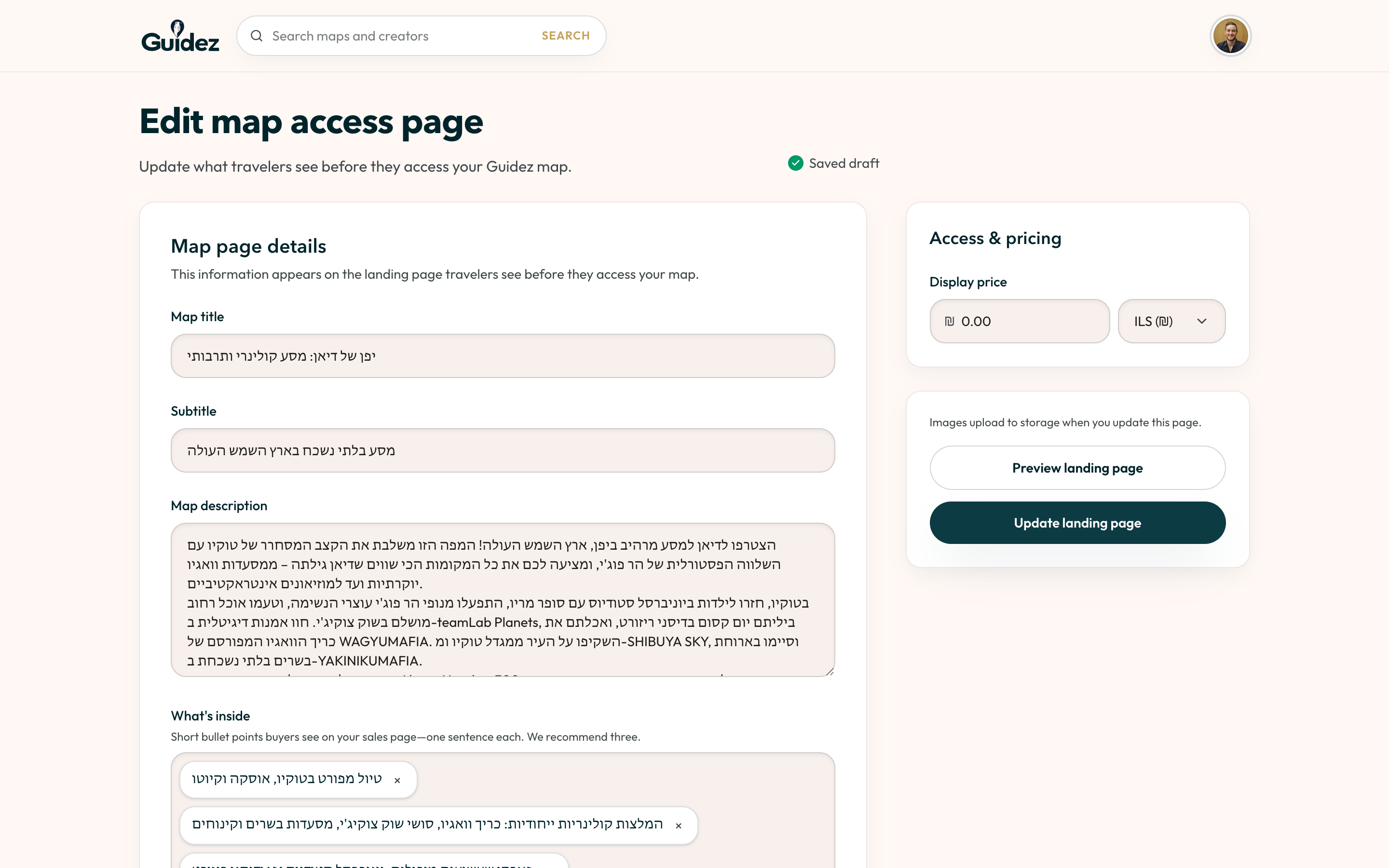
What you set
Section titled “What you set”| Field | Notes |
|---|---|
| Title and subtitle | Both are required before publishing. |
| Cover image | Required. Pick one from your map’s photos or upload your own. |
| Gallery | Extra images travelers can browse. |
| Description | Markdown. Explain why the map exists and who it is for. |
| What’s inside | A checklist of what access includes. |
| Price and currency | Enter a display price. Use 0 for a free map. |
| Tags | Help travelers find the map in search and browse. |
Preview
Section titled “Preview”The editor has a traveler-facing preview so you can see the page as a buyer would before you publish.
Save vs publish
Section titled “Save vs publish”Saving the landing page updates its content. It does not make the map live. Publishing is a separate step, covered in Publishing and selling.