

Directions and navigation
Any place card in Guidez has a Get directions action. It works the same way in Explore, the Feed, the map viewer, and your own maps.
Preview a route
Section titled “Preview a route”- Open a place and select Get directions.
- Pick Drive, Walk, or Transit. Each shows a live estimated time.
- Guidez draws and fits the route, with a card showing the real distance and time.
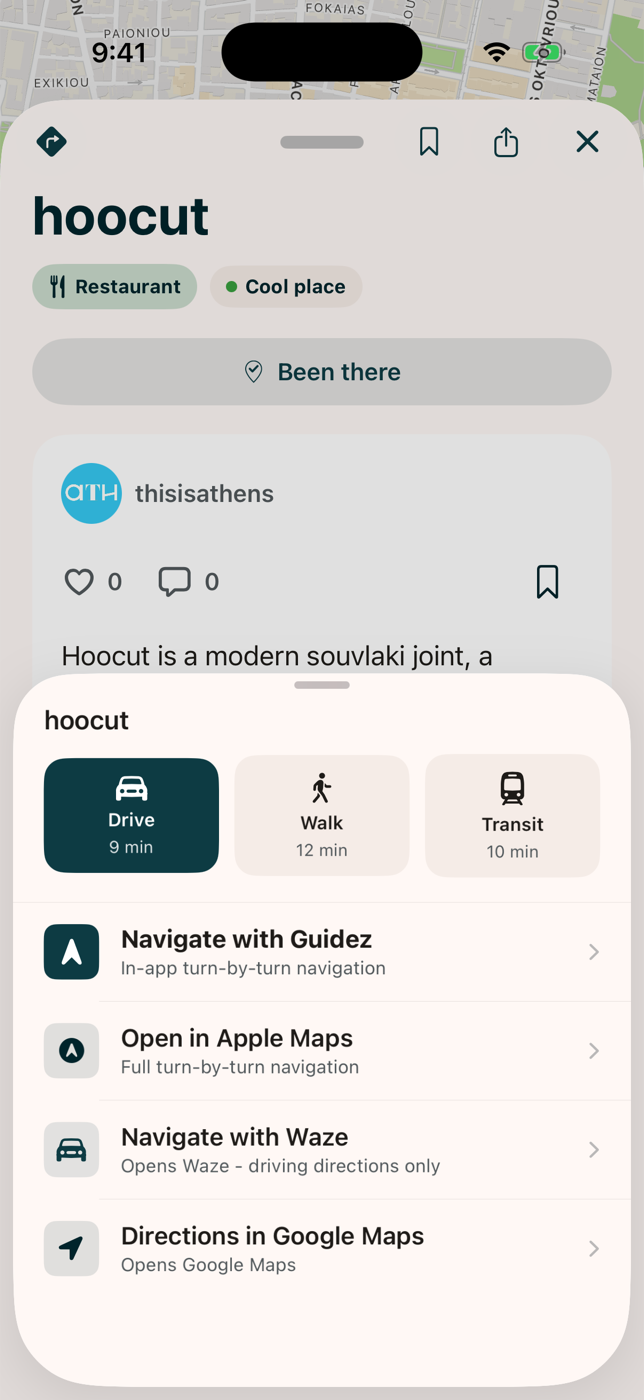
Picking a mode only previews the route. Nothing starts until you choose to.
Turn-by-turn navigation
Section titled “Turn-by-turn navigation”Select Go to start navigating. Guidez clears the browsing chrome and shows:
- A maneuver card with the next turn and the distance to it.
- A status bar with your arrival time, time and distance remaining, and End.
The map follows your heading. Pan manually to look around, then use the recenter button or wait a few seconds and it resumes. If you leave the route it recalculates.
Good to know
Section titled “Good to know”- There is no voice guidance.
- Navigation stops if you lock your phone or switch apps. Guidez only uses your location while you are in the app.
- Transit shows a real time estimate, then hands off to your maps app for step-by-step transit directions.
- Every place also has a quiet Open in Google Maps link if you prefer.