

Publishing and selling maps
Publish a map
Section titled “Publish a map”A map can be published once it has at least one place and a landing page with a title, subtitle, and cover.
- Open the draft in the Creator Portal.
- Check it in preview.
- Select Publish.
The map goes live on your shop page and becomes shareable by link.
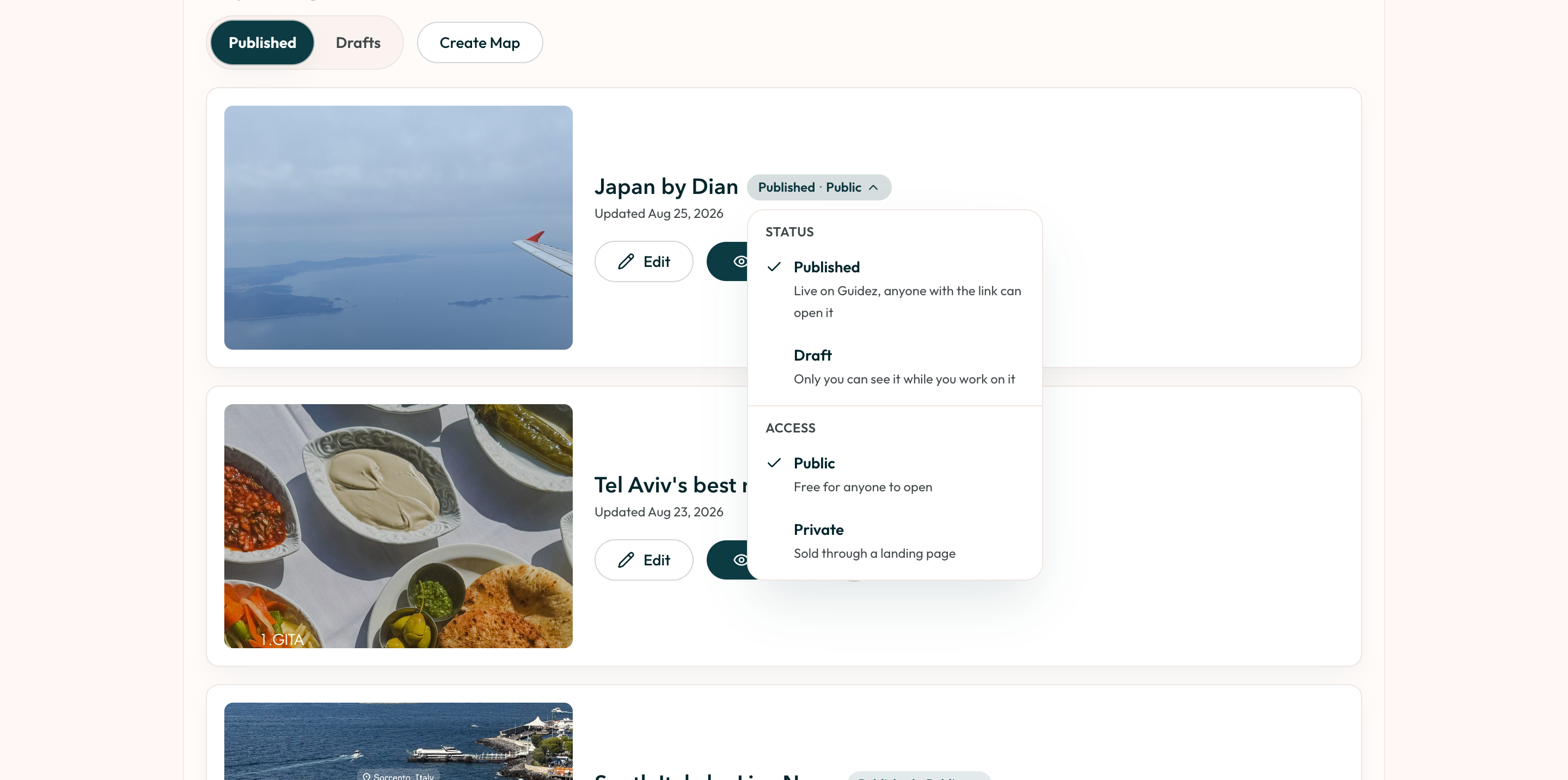
Status and access
Section titled “Status and access”Two separate settings:
- Status: Published (live, anyone with the link can open it) or Draft (only you).
- Access: Public (free for anyone) or Private (sold through the landing page).
Manage a published map
Section titled “Manage a published map”From the Creator Portal, a published map offers:
- Edit the places or the landing page.
- Copy link to share.
- Copy embed code to put the map on your website.
- Unpublish to take it down. This is reversible; the map becomes a draft again.
- Delete to remove it permanently.
Scheduling
Section titled “Scheduling”Payments and payouts
Section titled “Payments and payouts”Setting a price works and travelers can get access, but real checkout and payouts are still being built. See Pricing and payouts.