

Making your own maps
You do not have to be a creator to make a map. Anyone can build personal maps and share them by link.
Create a map
Section titled “Create a map”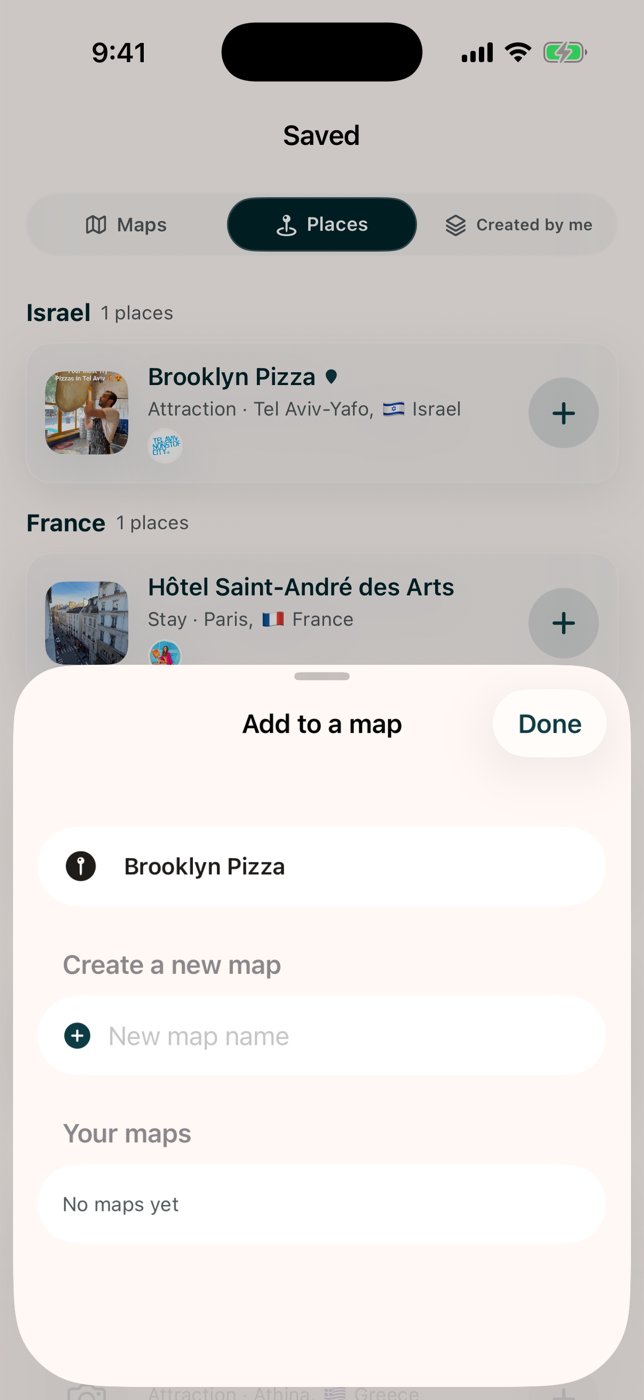
- Open any place, from Explore, the Feed, or a creator’s map.
- Select Add to a map.
- Pick one of your maps, or select New map and name it.
The place is saved as a full snapshot: name, note, category, coordinates, and which creator recommended it. Your map keeps working even if the original map is removed.
Manage your maps
Section titled “Manage your maps”Your maps are under Saved, then Created by me.
- Open a map to see it with the same directions and navigation as anywhere else.
- Rename, delete, or share from the map menu. Swipe a map in the list to delete it.
- Sharing a personal map uses a plain-text summary, since personal maps have no public web page.
Plan a trip
Section titled “Plan a trip”Create Trip will turn places from your maps into a day-by-day itinerary. See Planning a trip.
Where your maps are stored
Section titled “Where your maps are stored”Personal maps are stored on your device until account sync is finished. See Saving places and maps.