

Using the Feed
The Feed shows one place per screen, over the photo or video the creator posted. It is built for finding one good place, not for endless scrolling.
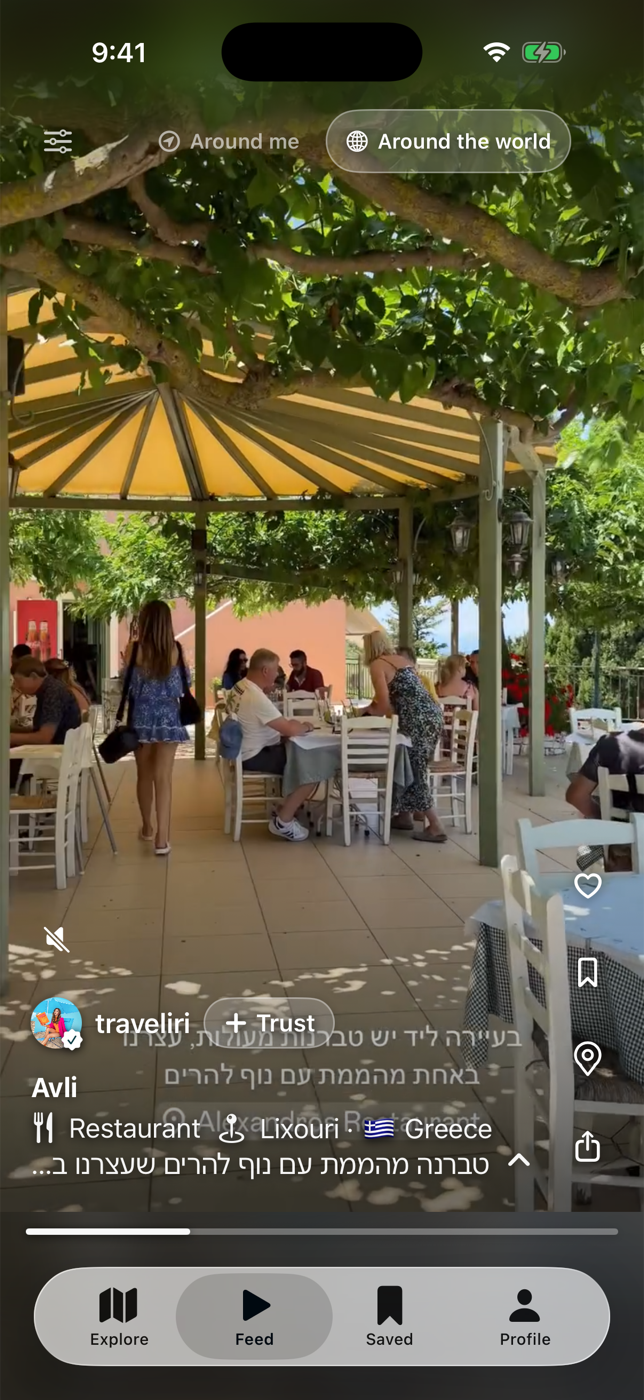
Move around
Section titled “Move around”- Swipe up and down to go between places.
- Tap the media to play or pause a video.
- Press and hold either side to fast-forward.
- Use the mute button for audio. Videos loop a few times, then stop on the last frame. Tap to play again.
Around me or around the world
Section titled “Around me or around the world”A picker at the top sets where places come from.
- Around me limits the Feed to a radius you set. Tap the radius button to change it.
- Around the world has no limit. Each card shows the place’s city and country.
You can also pin Around the world to a specific country or city with the location button on the same row. A clear button appears while a filter is active.
Switching between the two modes slides between them and keeps each feed where you left it.
The card
Section titled “The card”Top to bottom: the creator, the place name and a short description, the category, and a small map with a round Navigate button in the corner. Tapping the map or the button opens the directions picker.
- Tap the description to expand it in place.
- Tap Maximize to hide the map so the media fills more of the screen. Guidez remembers this.
- Tap the creator’s name to open their page.